

Advanced Signature pads
Signature Pads
ID Vision is specialized in Topaz Systems, ePadLink and StepOver signature pads, supplying secure and user-friendly solutions for digital signature capture. Our devices come from globally recognized brands known for accuracy and durability, giving your organization the confidence to meet compliance requirements while simplifying customer interactions.
Looking for Signature Pads ?
Browse through All Signature Pads
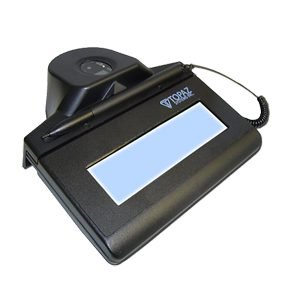
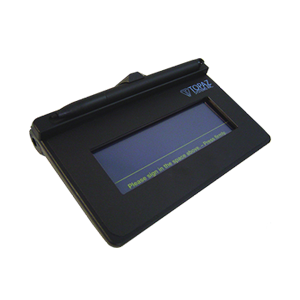
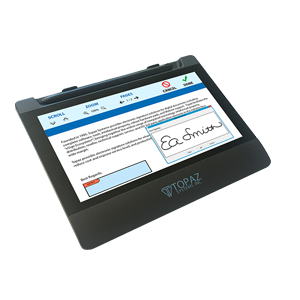
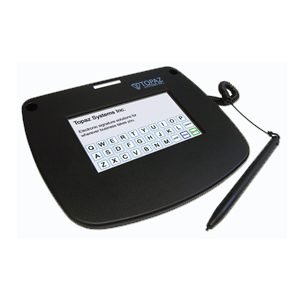
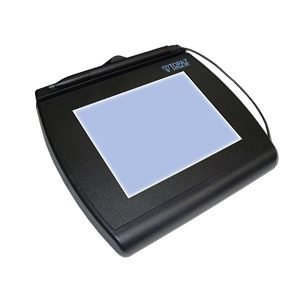
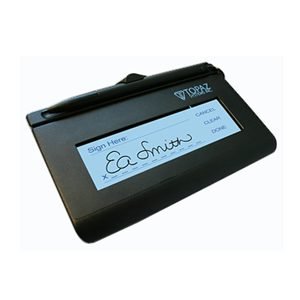
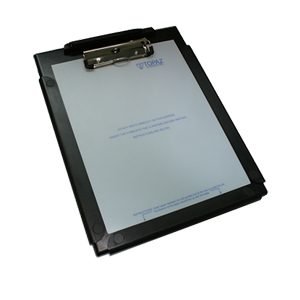
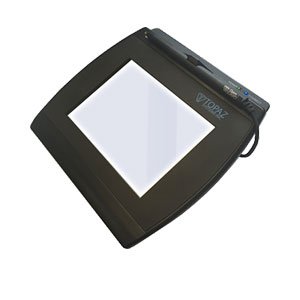
Topaz and ePadLink signature pad models deliver secure, real-time electronic signing with LCD displays, biometric options, and seamless SigPlus software integration.
Buy Reliable Electronic Signature Pads for Your Business
From entry-level devices to advanced models, each ePadLink Electronic Signature Pad streamlines workflows and eliminates the need to print or scan. Seamless integration with third-party systems or direct use with IntegriSign tools ensures your business processes run faster and smoother.
If you are looking future-proof your business, switching to e-signatures is also a great move for the planet. No more piles of paper - every digital signature helps shrink your company's carbon footprint, makes filing way easier, and saves money on printing and storage.
Electronic signatures on digital documents are captured, encrypted, stored, and verified by signature pad devices. To automate your internal and external operations, we provide the most reliable and complete electronic signature solutions. No matter where or how the e-signature process takes place, our hardware components and free software are created to provide seamless integration and ease of scaling with your increasing e-signature demands. eSignatures can help your company save money while also enhancing its value. We carry the market leading Topaz, Stepover and ePadLink electronic signature pads.
Topaz Signature Pads
Recognized as one of the Best Signature Pads for Business Use in 2025, the Topaz signature pad combines advanced biometric accuracy with robust durability, making it ideal for banking, healthcare, government, and corporate applications
As one of the leading electronic signature pad suppliers in Dubai, we offer competitive Topaz electronic signature pad price points that deliver exceptional value for businesses seeking to modernize their documentation processes.
ePadLink Signature Pads
Every ePadLink signature pad includes IntegriSign Desktop software, giving you secure, legally binding eSignatures from the start. With built-in plug-ins for Microsoft Word, Excel, Adobe Acrobat, and pDoc Signer, signing documents is fast and seamless.
Whether you are running a business or working on development, ePadLink pads works with both PC and web setups. Best part? The SDKs / drivers are included for free, so you can easily sign, send, and manage digital documents while staying compliant and keeping things smooth.
Help Center
Frequently Asked Questions - FAQs
Get all the answers related to Signature pads here. If you can't find what you're looking for, feel free to get in touch
For Windows PC users, models like the Topaz SigLite and SignatureGem series, as well as ePadLink ePad devices, offer smooth digital signing, USB connectivity, and high accuracy.
Many Topaz signature pads and ePadLink devices work with macOS when paired with compatible software and drivers. Check your model’s Mac support before purchase.
Yes! they are legally valid.
Affirmative, electronic signatures hold legal validity throughout the United Arab Emirates pursuant to Federal Law No. 1 of 2006 and its subsequent amendments. The majority of Middle Eastern jurisdictions have implemented comparable digital signature legislation, albeit with potential variations in particular stipulations. Gulf Cooperation Council member states, including Saudi Arabia and Qatar, typically recognize electronic signatures for the majority of commercial transactions, with exceptions applying to select high-value legal instruments such as real estate conveyances or testamentary documents. It is advisable to seek guidance from qualified legal professionals regarding sector-specific regulatory requirements.
Legally Compliant Signatures: Capture biometric parameters including stroke sequence, pressure dynamics, and velocity to ensure signatures comply with international security protocols.
Enhanced Customer Experience: Streamline transactional processes such as checkouts, approvals, and onboarding procedures through an intuitive digital signing interface.
Operational Efficiency: Reduce paper consumption, minimize manual verification requirements, and support organizational sustainability initiatives through eco-conscious practices.
Seamless Integration: Our signature solutions maintain compatibility with diverse industry-standard software platforms, spanning financial systems, enterprise resource planning applications, and healthcare management tools.
Consider device durability, display type (such as backlit LCD), connectivity, security certifications, and additional biometrics (like fingerprint scanners) to match your unique requirements and use volume.
ID Vision deal with Topaz and ePad signature pads and they are equipped with loads of amazing features. Get yours today for the best price.
Prices are always depends on the type of signature pad you are looking for. An Entry-level signature pad for small business or enterprise-grade device.
ID Vision is authrised supplier of Topaz and Epad devices and we never compromise on quality and our prices are best in the market. Contact us now and get free quotation
Step 1: Unbox and Inspect the Device
Carefully unpack the signature pad, check accessories, and ensure there’s no damage before proceeding.
Step 2: Connect the Pad to Your PC
Use the included USB cable to connect directly. For Bluetooth models, follow the pairing instructions.
Step 3: Install the Drivers
Download the latest drivers from the manufacturer’s website. Run the installer and follow on‑screen instructions.
Step 4: Configure Settings
Adjust sensitivity, brightness (if available), and enable biometric capture for secure signatures.
Step 5: Integrate with Business Applications
Connect the pad to your POS, ERP, or healthcare/banking system. You may need IT support for integration.
Step 6: Test the Device
Use the software’s test utility to confirm signatures are captured correctly.
Step 7: Train Staff
Show your team how to use the pad effectively and troubleshoot basic issues.